
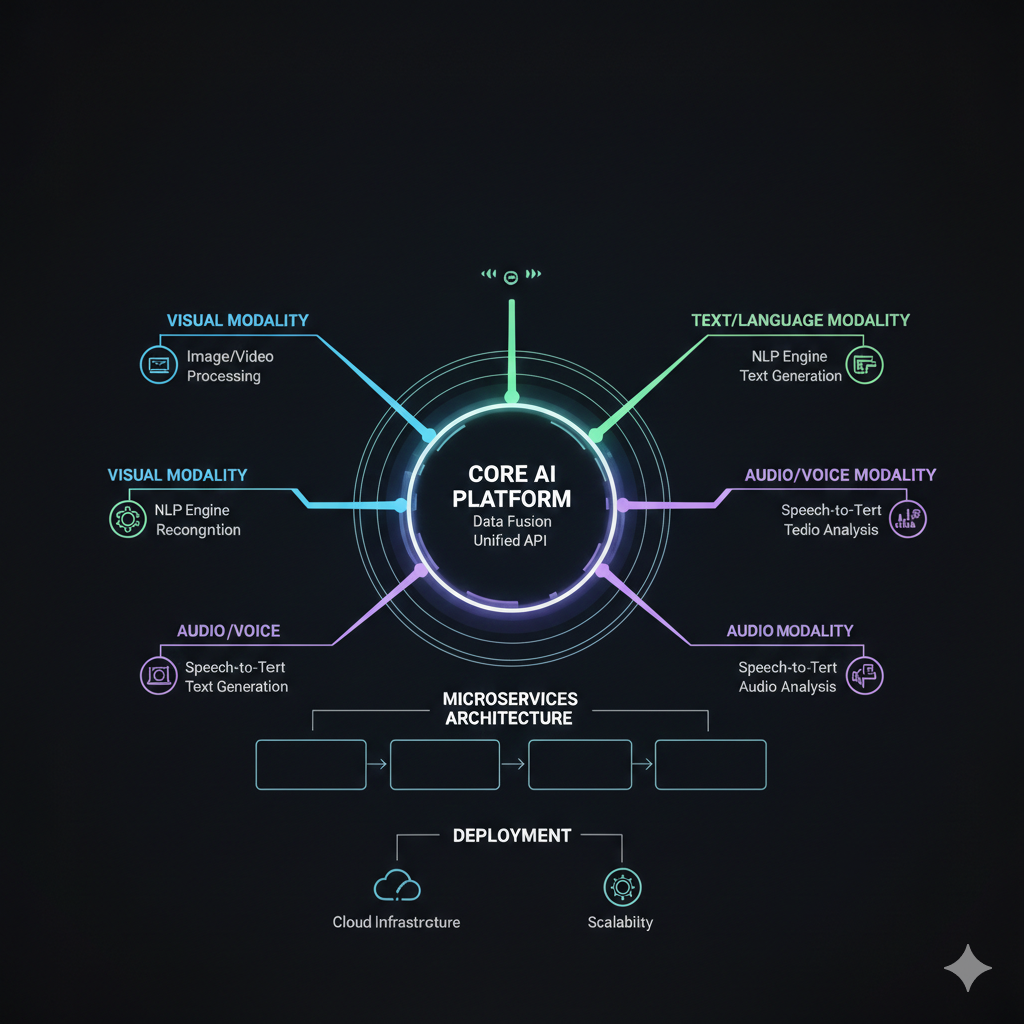
Building a SaaS that only handles text is no longer enough. Modern users expect applications that can see, hear, and understand context from multiple sources simultaneously. After spending months building CostChef—a restaurant management system with Arabic OCR for invoice processing—I've learned hard lessons about what it takes to build multi-modal systems at scale. This is the guide I wish I had when I started.
Understanding Multi-Modal Challenges
Multi-modal applications are fundamentally different from traditional text-based systems. The challenges multiply when you're processing images, video, and audio alongside text:
Data Volume: A single image can be 5MB. A minute of video might be 100MB. When you're processing hundreds or thousands of these daily, storage and bandwidth costs become significant concerns.
Processing Time: OCR on a complex invoice might take 2-5 seconds. Video analysis can take longer than the video itself. Users expect responsiveness, but the underlying operations are inherently slow.
Accuracy Variance: Text processing is relatively deterministic. Image and video processing involves probabilities and confidence scores. Your architecture needs to handle uncertainty gracefully.
The Architecture That Works
After several iterations, here's the architecture pattern I've settled on for multi-modal SaaS:
1. Intake Layer: Handle the Flood
The first challenge is accepting potentially large files without blocking. I use a combination of:
Presigned URLs: Files upload directly to cloud storage (Supabase Storage or S3), bypassing your server entirely. This prevents upload bottlenecks and keeps your API servers light.
Chunked Uploads: For large files, implement resumable uploads. Users on poor connections shouldn't have to restart a 50MB upload because of a brief network hiccup.
Immediate Acknowledgment: Return success to the user as soon as the file is received. Processing happens asynchronously—the user doesn't need to wait.
2. Processing Layer: Queue Everything
Never process media synchronously in an API request. Instead:
Job Queues: Every uploaded file creates a job in a queue (I use Supabase Edge Functions with pg_cron, but Redis queues or SQS work well too). Jobs are processed by workers that can scale independently.
Idempotency: Jobs should be retryable without side effects. If processing fails halfway, you should be able to restart without creating duplicates or corrupted data.
Progress Tracking: Store job status in your database. Users should see "Processing: 60% complete" rather than wondering if their upload disappeared into a void.
3. AI Layer: Smart Orchestration
The AI processing layer is where multi-modal magic happens:
Model Selection: Different tasks need different models. For CostChef, I use Google's Document AI for Arabic OCR, GPT-4 Vision for understanding invoice structure, and custom models for menu item matching. Orchestrating these efficiently is key.
Caching: AI inference is expensive. Cache aggressively. If you've processed a similar image before, reuse that analysis. Embedding similarity search helps identify when cached results are applicable.
Fallback Chains: When the primary model fails or returns low-confidence results, have fallback strategies. Sometimes a simpler model with different preprocessing gives better results.
"The best multi-modal architecture is invisible to users. They upload a photo, and results appear. The complexity—queues, workers, multiple AI models, caching—happens entirely behind the scenes."
Vector Databases: The Secret Weapon
Vector databases transformed how I build multi-modal features. Here's why they're essential:
Semantic Search: Users can search across all content types with natural language. "Show me invoices from last month with seafood" works even if none of those words appear literally in the stored data.
Similarity Matching: When processing a new invoice, finding similar past invoices helps with validation and auto-categorization. Vector similarity makes this trivial.
Deduplication: Catch duplicate uploads by comparing embeddings. Two photos of the same receipt might be slightly different, but their embeddings will be nearly identical.
I use Supabase's pgvector extension for this. It's not as specialized as dedicated vector databases like Pinecone, but having vectors in the same database as my relational data simplifies architecture enormously.
Handling the MENA Market: Arabic OCR Challenges
Building for the MENA market with CostChef taught me specific lessons about Arabic text processing:
Right-to-Left Complexity: Arabic text is RTL, but invoices often mix Arabic and English (product names, numbers). The layout analysis needs to handle bidirectional text correctly.
Handwriting Variance: Handwritten Arabic varies more than Latin scripts. I needed to train on diverse handwriting samples to achieve acceptable accuracy.
Number Formats: Arabic numerals (٠١٢٣٤٥٦٧٨٩) vs Western numerals (0123456789). Both appear in invoices, sometimes in the same document. Normalization is essential.
Limited Training Data: There's less public data for Arabic OCR compared to English. I ended up creating synthetic training data using real invoice layouts with generated Arabic text.
Cost Management: It Adds Up Fast
Multi-modal processing is expensive. Here's how I keep costs manageable:
Tiered Processing: Not every image needs the best model. Quick classification determines whether an image needs detailed analysis or can use a cheaper, faster model.
Preprocessing Optimization: Resize images before AI processing. A 4K photo of a receipt doesn't need 4K analysis. Proper resizing can reduce costs by 80% with no accuracy loss.
Batch Processing: When possible, batch multiple images into single API calls. Many AI services offer better pricing for batched requests.
Result Caching: Hash inputs and cache results. The same image processed twice should hit cache, not the AI service.
Real-Time Features: The Complexity Multiplier
Some multi-modal features need real-time responses. Live camera processing for inventory counting, for example. This requires additional infrastructure:
Edge Processing: Move some processing closer to users. Running lightweight models on edge servers or even in-browser reduces latency dramatically.
Streaming Results: Don't wait for complete processing. Stream partial results as they become available. Users see progress immediately rather than waiting for full completion.
WebSocket Connections: HTTP polling is too slow for real-time features. WebSocket connections allow pushing updates as processing completes.
Testing Multi-Modal Systems
Testing is harder when your inputs are images and videos:
Golden Datasets: Maintain a curated set of test images with known correct outputs. Run regression tests against this dataset before every deployment.
Synthetic Data Generation: Create test images programmatically. This lets you test edge cases that might be rare in real data.
Fuzzing: Feed corrupted, truncated, or unusual images to ensure graceful failure. Your system should never crash because of unexpected input.
Accuracy Monitoring: Track accuracy metrics in production. If OCR accuracy drops, you want to know before users complain.
Lessons Learned
After building CostChef's multi-modal features, here's what I'd do differently next time:
Start Simple: Don't build for every modality on day one. Start with one (images for us), get it solid, then expand. Multi-modal complexity compounds quickly.
Invest in Observability: Log everything. When processing fails, you need to know exactly what happened. Debugging without good logs is nearly impossible.
Plan for Scale Early: The architecture that handles 100 images/day won't handle 100,000. Build with scaling in mind from the start, even if you don't need it yet.
User Feedback Loops: Let users correct AI mistakes, and feed those corrections back into your system. Human feedback is the fastest path to accuracy improvement.
Multi-modal SaaS is complex, but the user experiences you can create are transformative. Users can take a photo instead of typing data. They can search with natural language instead of exact keywords. The investment in architecture pays off in product capabilities that weren't possible before.